🎄 On the First Day of Debugging: The Twelve Characters of Christmas
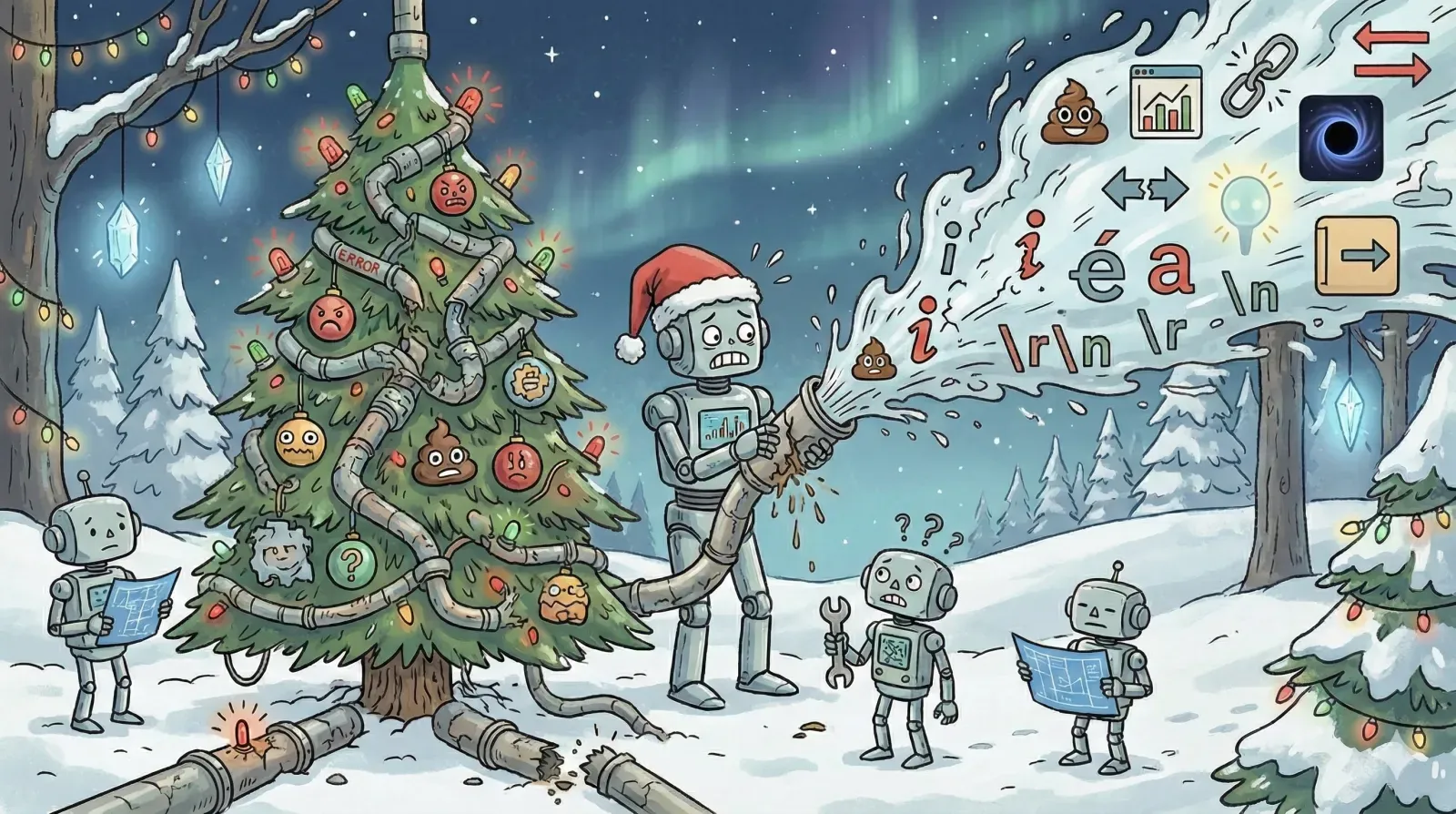
🎵 On the first day of debugging, production gave to me:
An emoji that broke awk's field count tree 🎵
A Holiday Horror Story
Friday morning. Coffee in hand. You commit a documentation change before the holiday break. You've decided to get EXTRA cool, nothing fancy, just adding some friendly emoji to your metrics. The GitHub Actions workflow fails:
Error: Invalid format '100'
Expected: number
Got: string '100'
Four hours later (goodbye, early weekend), you've discovered that 📊 breaks awk '{print $3}' because emoji count as fields and your clever metric extraction just imploded.
Welcome to production, where every character is a potential landmine wrapped in festive paper.
This holiday season, let me gift you the knowledge of The Twelve Characters of Christmas. Twelve special characters that will ruin your week, test your patience, and teach you why pipelines are terrible at telling you what's actually wrong.
Think of this as your technical advent calendar. Behind each door: a character that breaks things in fascinating ways.
🎁 The First Gift: The Emoji 📊
What you unwrapped: Emojis have variable width.
The problem wasn't the emoji itself; it was the assumption that field extraction works on visual spacing.
# What we see:
📊 Metric: 100%

# What awk sees with '{print $3}':
Field 1: 📊
Field 2: Metric:
Field 3: 100%

# After adding emoji:
📊 📈 Metric: 100%

# Now awk sees:
Field 1: 📊
Field 2: 📈
Field 3: Metric:
Field 4: 100%  # Wrong field! 🎁
Your gift that keeps giving:
- String length lies (
"📊".length= 2 in JavaScript, not 1) - Byte count ≠ character count
- Sorting alphabetically becomes... interesting
- Every string operation you thought you understood is now probabilistic
The fix: awk '{print $NF}' always grabs the last field.
🎁 The Second Gift: The Zero-Width Joiner
What you unwrapped: Authentication bypass wrapped in invisibility.
These characters are invisible glue between emoji, but they work anywhere:
"hello" vs "hello"
Those look identical. They're not. The second has U+200D (zero-width joiner) between the 'e' and 'l'.
Your gift that keeps giving:
user_input = "admin" # has ZWJ at end
if user_input == "admin": # nope! 🎁
grant_access()
# Also fails:
db.query("SELECT * FROM users WHERE username = ?", user_input)
Authentication bypass via invisible character. Your WAF can't see it. Your logs look fine. Your security audit finds nothing.
The discovery: Someone's "username not found" ticket escalates to a database investigation revealing two "identical" usernames with different bytes.
🎁 The Third Gift: Right-to-Left Override
What you unwrapped: A trojan horse with a bow on top.
Unicode includes directionality controls. U+202E reverses text rendering:
Filename: "image.txtgpj.evil"
Displays as: "image.txtlive.jpg"
Actual bytes: "image.txt[RLO]live.jpg"
Your gift that keeps giving:
Your file viewer shows a JPG. Your security scanner checks JPG extensions. Your pipeline processes a JPG. What actually executes? evil.txt 🎁
This isn't theoretical—Trojan Source attacks use this for malicious code injection that passes code review because it looks fine on screen.
The discovery: Your image processor starts executing arbitrary code. Merry Christmas!
🎁 The Fourth Gift: The Null Byte \0
What you unwrapped: The gift of dual realities.
In C, \0 terminates strings. In everything built on C (which is everything), null bytes create two parallel universes:
# What you check:
filename = "safe.txt\0../../etc/passwd"
if filename.endswith(".txt"):  # True! 🎁
    process_file(filename)

# What actually happens:
# String terminates at \0
# Opens: "safe.txt"... or does it?
Your gift that keeps giving:
-- What you think you're querying:
SELECT * FROM files WHERE name = 'safe.txt\0'

-- What the SQL parser sees:
-- String terminated, rest ignored 🎁
SQL injection's sneaky cousin. Your input validation passes. Your database dies. Your logs show "safe.txt" and nothing suspicious.
The discovery: After your security audit, when the penetration tester shows you what they did.
🎁 The Fifth Gift: The BOM
What you unwrapped: The invisible file prefix that breaks everything.
UTF-8 files sometimes start with U+FEFF (byte order mark). It's invisible in most editors. It destroys your scripts:
#!/bin/bash
echo "Hello World"
Looks fine. Won't execute:
$ ./script.sh
bash: ./script.sh: /bin/bash: bad interpreter: No such file or directory 🎁
Your gift that keeps giving:
The shebang is actually #!/bin/bash. Different bytes. Bash doesn't recognize it.
CSV files with BOM? Your parser thinks the first column is named "id" instead of "id". Joins fail mysteriously. Someone suggests "just trim whitespace" and it still doesn't work because there is no whitespace.
The discovery: After you've checked file permissions, reinstalled bash, rebooted the server, and finally run xxd script.sh to see the bytes.
🎁 The Sixth Gift: The Soft Hyphen
What you unwrapped: The invisible line-break suggestion.
U+00AD is a "suggestion to break here if needed." Invisible until line-wrapping occurs:
"supercalifragilistic" appears as "supercalifragilistic"
But:
"supercalifragilistic".includes("cali") // true
"supercalifragilistic".includes("cali") // false! 🎁
Your gift that keeps giving:
Copy-paste from a website into your pipeline, and suddenly:
- Searches fail
- Log aggregation misses matches
- Deduplication creates duplicates
- Your debugging session: "I can literally SEE the string matches. Why isn't it finding it?"
The discovery: After you paste the same text directly into your code, and THAT works.
🎁 The Seventh Gift: Turkish İ
What you unwrapped: The gift of internationalization nightmares.
Turkish has four 'i' letters: i, ı, İ, I. Case conversion depends on locale:
"file".upcase  # "FILE" in English
"file".upcase  # "FİLE" in Turkish (tr_TR locale) 🎁

"FİLE".downcase  # "fi̇le" (with combining dot)
Your gift that keeps giving:
Your case-insensitive comparison just became locale-sensitive. Germans debate whether ß.upcase should be "SS" or "ẞ". Greeks have three lowercase sigmas (σ, ς, Σ).
File systems differ:
- Windows: case-insensitive, case-preserving
- macOS: optionally case-sensitive
- Linux: case-sensitive always
The discovery: Your pipeline works in dev (macOS), breaks in staging (Linux), works differently in production (Windows containers)..
🎁 The Eighth Gift: The Combining Accent ́
What you unwrapped: Two ways to write the same letter.
Unicode has two ways to write é:
é  # U+00E9 (single character)
é  # U+0065 + U+0301 (e + combining acute accent) 🎁
Your gift that keeps giving:
Visually identical. Different bytes. macOS normalizes to decomposed (NFD). Linux doesn't (NFC).
# Create file on macOS:
touch café.txt  # stored as cafe\u0301.txt

# Access from Linux:
ls -l café.txt  # File not found 🎁

# Why?
$ ls -lb
-rw-r--r--  1 user  staff  0 Nov 24 10:00 cafe\314\201.txt
The discovery: Your cross-platform pipeline mysteriously loses files between systems.
🎁 The Ninth Gift: The Surrogate Pair 💩
What you unwrapped: Emoji that need TWO UTF-16 code units.
"💩".length  // 2, not 1 🎁
"💩"[0]      // � (invalid Unicode)
"💩".substring(0, 1)  // � (broken character)

// Counting is hard:
[..."Hello 💩 World"].length  // 13 (correct)
"Hello 💩 World".length       // 14 (wrong)
Your gift that keeps giving:
Your pipeline truncates strings at byte boundaries. Emoji get cut in half. JSON becomes invalid. Logs show question marks. Everyone blames the database collation.
# Reversing destroys emoji:
"Hello 💩 World"[::-1]  # "dlroW �� olleH" 🎁
The discovery: When a customer complains that their emoji-filled messages look like gibberish.
🎁 The Tenth Gift: The Homoglyph а
What you unwrapped: Letters that look identical but aren't.
Latin 'a' (U+0061) and Cyrillic 'а' (U+0430) look identical. Different bytes:
twitter.com  # real
twіtter.com  # Cyrillic 'і' (U+0456) 🎁
Your gift that keeps giving:
expected = "admin"
actual = "аdmin"  # First character is Cyrillic

if actual == expected:  # False! 🎁
    grant_access()

# But to humans reading logs:
print(f"Login attempt: {actual}")  # looks like "admin"
Your domain validation passes. Your email verification passes. Your phishing attack succeeds.
The discovery: During your security incident post-mortem.
🎁 The Eleventh Gift: The Newline \n
What you unwrapped: Three standards for ending a line.
Unix:    \n   (LF)
Windows: \r\n (CRLF) 🎁
Old Mac: \r   (CR)
Your gift that keeps giving:
"line1\r\nline2\r\nline3".count('\n')  # 2 (wrong)
"line1\r\nline2\r\nline3".splitlines()  # 3 (right) 🎁
Git helpfully converts line endings based on .gitattributes. Now every line in your diff is "changed." Your PR is 10,000 lines. The actual change was one word.
Your pipeline hash-checks files for integrity. Same content, different line endings, different hashes. False positive failure alert at 3am.
The discovery: When your coworker opens your file and their editor "fixes" all the line endings.
🎁 The Twelfth Gift: The Tab \t
What you unwrapped: The final gift—visual width that lies.
# These look identical:
"key:    value"  # 4 spaces
"key:\tvalue"    # 1 tab character 🎁

# But:
"key:    value".split('\t')  # ['key:    value']
"key:\tvalue".split('\t')     # ['key:', 'value']
Your gift that keeps giving:
YAML treats tabs and spaces differently. One is indentation. One is death:
config:
    key: value    # spaces, valid
config:
    key: value    # tab, invalid YAML 🎁
Your config looks fine in your editor (which converts tabs to spaces). Your pipeline reads the raw file (which has tabs). Your deployment fails with "invalid YAML" and the error message points to a line that looks perfectly fine.
The discovery: After you copy-paste the "broken" YAML into a validator and it works fine.
🎄 What All Twelve Gifts Have in Common
Notice what these twelve characters share:
- Invisible to humans: Your eyes can't distinguish them
- ASCII-land works fine: English text with basic punctuation passes every time
- Deterministic but unpredictable: Given the character, it always fails the same way, but you have no idea which characters your pipeline will encounter
- Production discovery: Test data is sanitized, user input is chaos
- Binary debugging: Remove pieces until something changes, like unwrapping boxes to find which gift is broken
This isn't fundamentally about Unicode complexity. It's about pipeline observability.
🎁 The Real Problem (Unwrapped)
Your pipeline has stages:
[Input] → [Parse] → [Transform] → [Validate] → [Store]
Each stage has opinions about text encoding. None agree:
- Input accepts UTF-8
- Parse assumes ASCII
- Transform uses locale-sensitive operations
- Validate checks byte length
- Store expects UTF-8 but doesn't verify
When something breaks, you get: Error: Invalid format '100'
What you need:
Stage: Parse
Input bytes: [F0 9F 93 8A 20 4D 65 74 72 69 63 3A 20 31 30 30 25]
Encoding: UTF-8
Character count: 13
Byte count: 17
Field extraction: Expected 3 fields, got 4
Problem character: U+1F4CA (📊) at position 0
Suggestion: Use byte-based parsing or normalize input
But you don't get that. You get silence until complete failure.
🎁 Three Gifts for Better Pipelines
Gift 1: Declare Encoding Everywhere
# Not this:
with open('file.txt') as f:
    data = f.read()

# This:
with open('file.txt', encoding='utf-8', errors='strict') as f:
    data = f.read()
errors='strict' means fail immediately on invalid bytes. Don't guess. Don't substitute. Fail with the exact byte position.
Gift 2: Normalize at Boundaries
import unicodedata

def sanitize_input(text):
    # Pick ONE canonical form and enforce it
    normalized = unicodedata.normalize('NFC', text)

    # Remove invisibles
    visible = ''.join(c for c in normalized
                      if unicodedata.category(c)[0] != 'C')

    # Verify what's left
    try:
        visible.encode('ascii')  # Or 'utf-8', be explicit
    except UnicodeEncodeError as e:
        raise ValueError(
            f"Invalid character at position {e.start}: "
            f"{repr(visible[e.start])}"
        )

    return visible
Gift 3: Make Intermediate State Visible
Between pipeline stages, log:
- Byte count vs character count
- Encoding declaration
- Character categories present
- Sample of problematic characters
Your monitoring should show:
"Stage 2 processed 1M records, 47 contained non-ASCII, 3 contained control characters, 0 validation failures."
Not: "Stage 2 complete."
🎄 The Holiday Season Lesson
Every data pipeline has two modes:
- Development: All data is well-formed (like your holiday wish list)
- Production: The real world exists (like your actual gifts)
There's no smooth transition. Your pipeline either handles emoji, zero-width joiners, null bytes, and right-to-left overrides, or it silently corrupts data until someone notices.
These twelve characters didn't cost you hours of debugging because character encoding is hard. They cost you those hours because your pipeline's feedback loop is binary: success or mysterious failure, nothing in between.
Design-time testing uses sanitized data. Production sends you the real world. The gap between them is where you spend your Friday afternoon debugging why 📊 appears in your error message instead of going to your holiday party.
🎵 And a Pipeline That Actually Works Reliably 🎵
Happy Holidays from everyone at Expanso.io. May your deployments be clean, your pipelines be observable, and your error messages be specific.
P.S. If you're reading this during the December code freeze/during a holiday week/when every one else is drunk on "egg-nog" : I'm sorry. The Further Reading section below might help. Or at least commiserate.
Further Reading (Stocking Stuffers)
- Trojan Source: Invisible Vulnerabilities - RLO attacks in real code
- The Absolute Minimum Every Software Developer Must Know About Unicode - Joel Spolsky
- UTF-8 Everywhere - Why UTF-8 should be your default
- Unicode Security Considerations - Official security implications
- The Turkey Test - Case conversion nightmare
Want to learn how intelligent data pipelines can reduce your AI costs? Check out Expanso. Or don't. Who am I to tell you what to do.
NOTE: I'm currently writing a book based on what I have seen about the real-world challenges of data preparation for machine learning, focusing on operational, compliance, and cost. I'd love to hear your thoughts!